RGB Parade
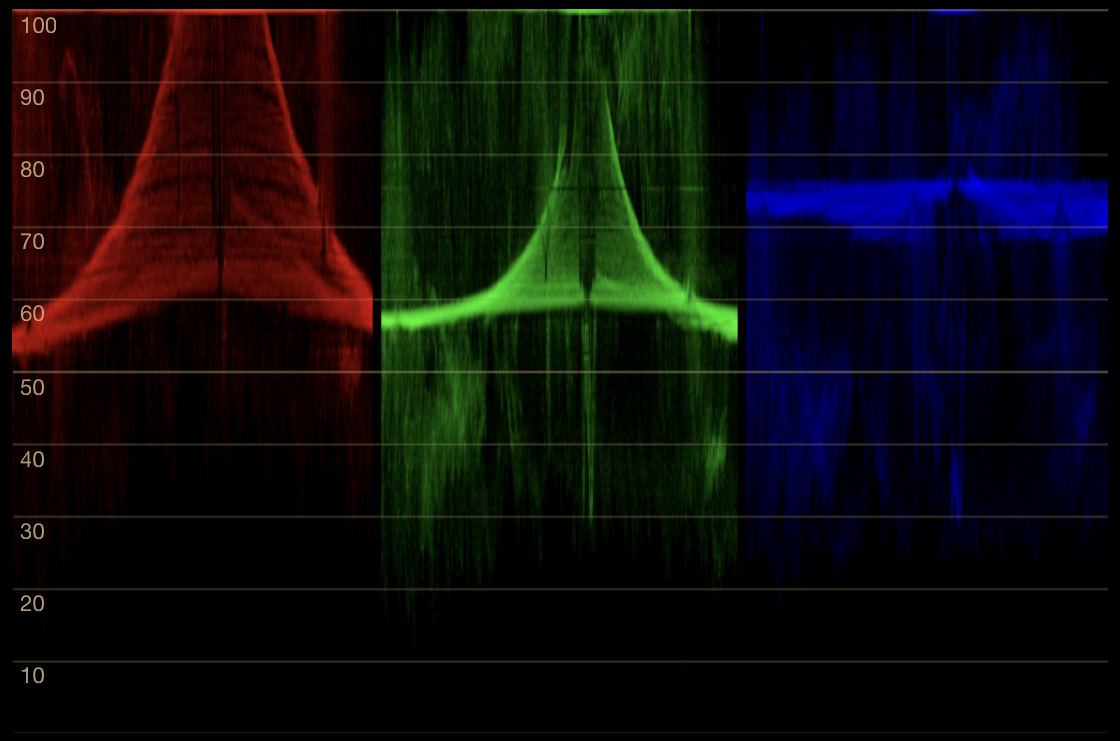
RGB Parade places three channel waveforms side by side: red, green, then blue. Each panel maps the full width of the selected region.
Reading the panels
Each panel has the same axes as Waveform: horizontal position in the selected region and channel level from 0 to 100. The panels do not divide the image into thirds. A feature halfway across the region appears halfway across each of the red, green, and blue panels.
Separating the channels prevents one trace from obscuring another. This makes differences in shape, level, and endpoint behavior easier to compare than in an overlay waveform.
Channel balance in context
For a subject known to be neutral, equal captured RGB values align at the same level in all three panels. A raised blue channel in that reference indicates a blue bias in the rendered result; separation confined to one tonal range can identify where that bias occurs.
Channel alignment is not a goal for arbitrary image content. A saturated red object should not produce matching panels, and a warm grade may intentionally separate them. Restricting the region to a verified neutral or comparing it with a known reference makes the observation meaningful.
Endpoints and channel limiting
The parade can show that one captured channel reaches an endpoint before the others. That may explain a hue or texture change in the rendered highlight or shadow. It does not establish whether the source channel is clipped upstream: SideScopes sees the composited display output, after the source application’s transforms.
Use RGB Parade when separate panels improve comparison. Use Waveform when the overlap itself is useful, or Luma Waveform for a single weighted level trace.
Adobe’s official Lumetri scopes guide and Apple’s Final Cut Pro scopes guide document the same three-panel positional convention in established grading tools.